
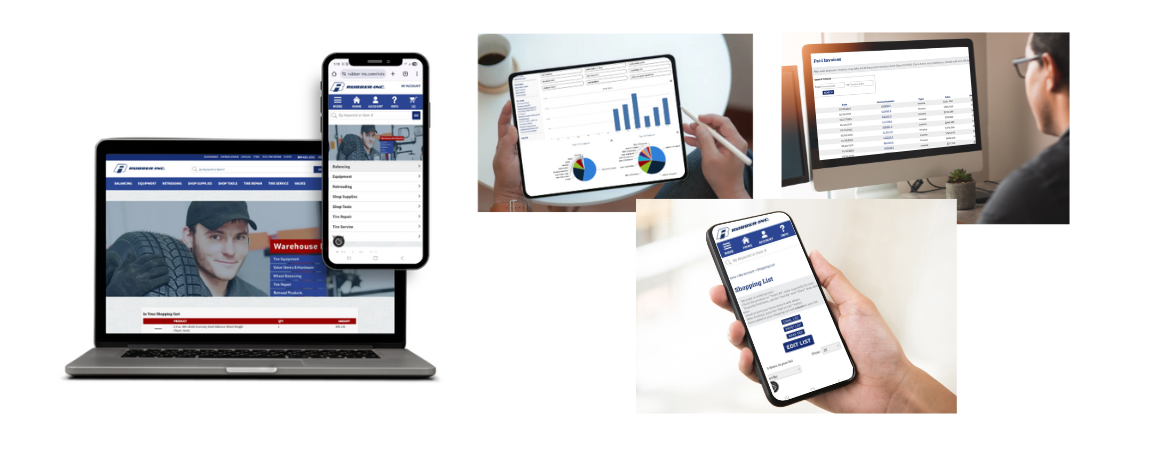
Fast & Easy Ordering
Our How-To-Guide to Make the Most of Your Rubber-Inc Shopping Experience
Let’s be honest, running a shop keeps you busy. That’s why we’ve built our website to make your life a little easier. From quickly reordering your go-to products to pulling up invoices or building shopping lists, Rubber-Inc.com has the tools to help you get things done faster. In this blog, we’ll show you some of our favorite time-saving features and a few tips you might not know about. Ready to make the most of your account? Let’s jump in.
Not signed up yet? We can help with that, too.
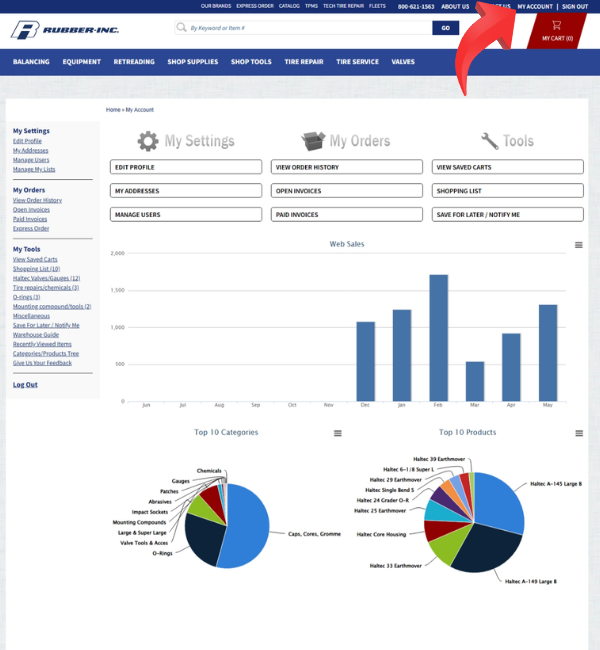
You can navigate to your dashboard from the My Account link in the header. Once here, you can easily access all invoices, build custom shopping lists for easy reordering, view recently browsed items, view your saved cart, update account settings, and more.
We also made it easy to track and share what you've spent and what you are spending it on. View and download our graphs, including your Top 10 Categories Purchased and Top 10 Items Purchased.
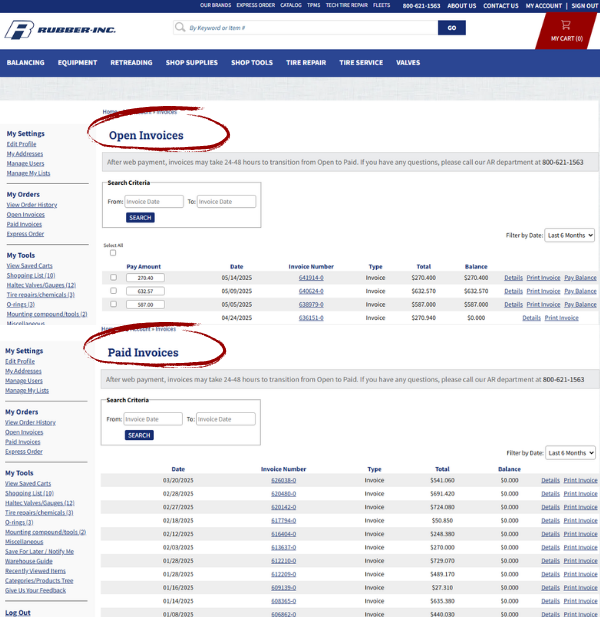
No more digging through papers or saving files. We've got your invoice organization handled for any open or paid invoice.
Easily view, download, or print a PDF whenever you need it.
You can also pay your balance due and track orders from your invoice history. Need a quick way to re-order? Pro Tip: Click the re-order button option on any paid invoice
No app needed. Just log in from your laptop, phone, tablet, or desktop, wherever you’re working to get started.
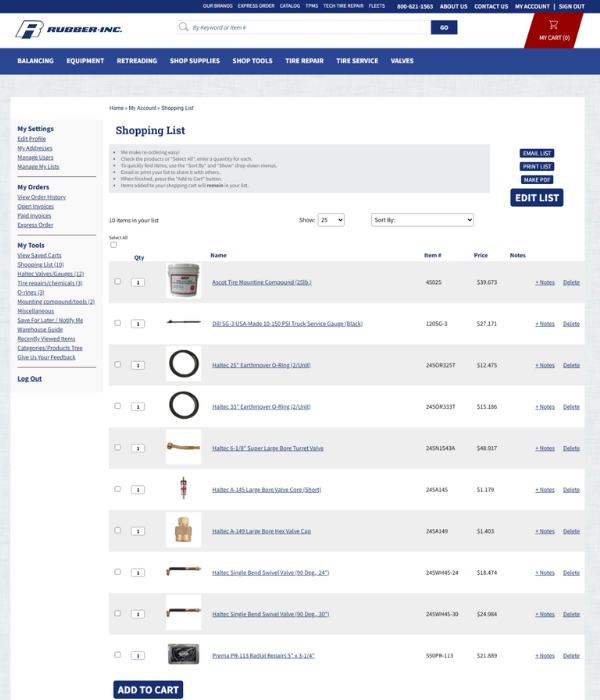
Create customized shopping lists for the supplies you order most often. It’s a great way to stay on top of regular restocks and keep your workflow moving.
The handy ‘Select All’ button makes it easy to adjust quantities in one click. When you're ready, simply hit ‘Add to Cart.’
Your shopping list stays saved in your account, making future orders faster and more efficient every time. Pro Tip: Create multiple shopping lists for different areas of your business.
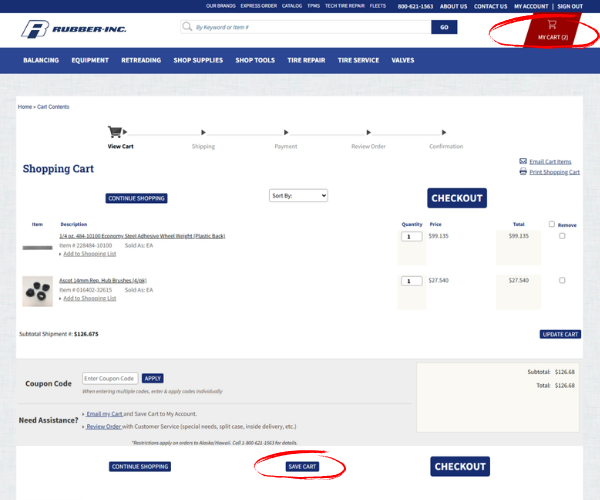
Adding items to your cart, but you neeed to step away? No problem. You can save your cart for later without losing any of the items you've already added. Pro Tip: Hit the 'Save Cart' button and you can pick up right where you left off.
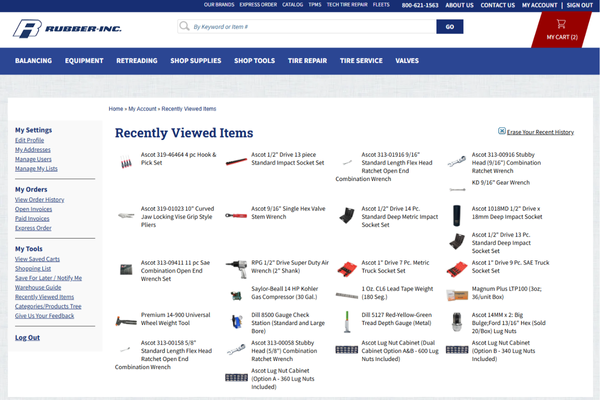
We’ve all been there. You spot a product, keep browsing, and then can’t remember where you found it. That’s where your this feature comes in.
The Recently Viewed Items page automatically keeps track of the products you’ve looked at during your sessions. No more clicking through pages trying to retrace your steps. Pro Tip: Easily go back and compare, recheck details, or add items to your cart when you're ready.
It's no secret we're big fans of the Your Account features on our website. We've built them to save you time and make the ordering process as easy as possible. There are a few more tools worth highlighting that can make your shopping experience even better and help get what you need with less hassle.
- Digital Catalog - Browse every item we carry by category or by alphabetical or numerical index. You can download the guide or request a physical copy.
- Fleet Shop - We've created an easy-to-shop page filled with high-quality commercial fleet products from trusted brands designed to enhance performance, safety, and efficiency
- Filter It - Shop the category you need from the header and then use the filters on the left navigation to filter by brand, type, size, price, and more.
- Promotions - Quickly access all of our current specials in one place.
- Weekly newsletter - Sign up to get the latest news and offers delivered to your inbox each week.
And as always, if you need help finding something or have a question about a product, our team is here for you. Give us a call at 800-621-1563 Monday through Friday during regular business hours, or reach out anytime through our Contact Us Form.